
Plan document automation around accurate fields, source checks and exceptions. Learn how to pilot invoices, forms or email processing without automating unchecked mistakes.
The work starts after the document arrives
An invoice reaches the accounts inbox. Someone opens it, finds the supplier, checks the reference, types the amount and routes it for approval. An attachment that looks straightforward can still require several decisions. Automating the typing is only part of improving that process.
AI document processing can help turn documents into usable fields or categories. It does not establish that a document is genuine, that a supplier should be paid or that the information agrees with your records. Start by separating reading, checking and authorising. That makes it easier to decide which parts deserve automation and which need a person.
Understand the stages in plain English
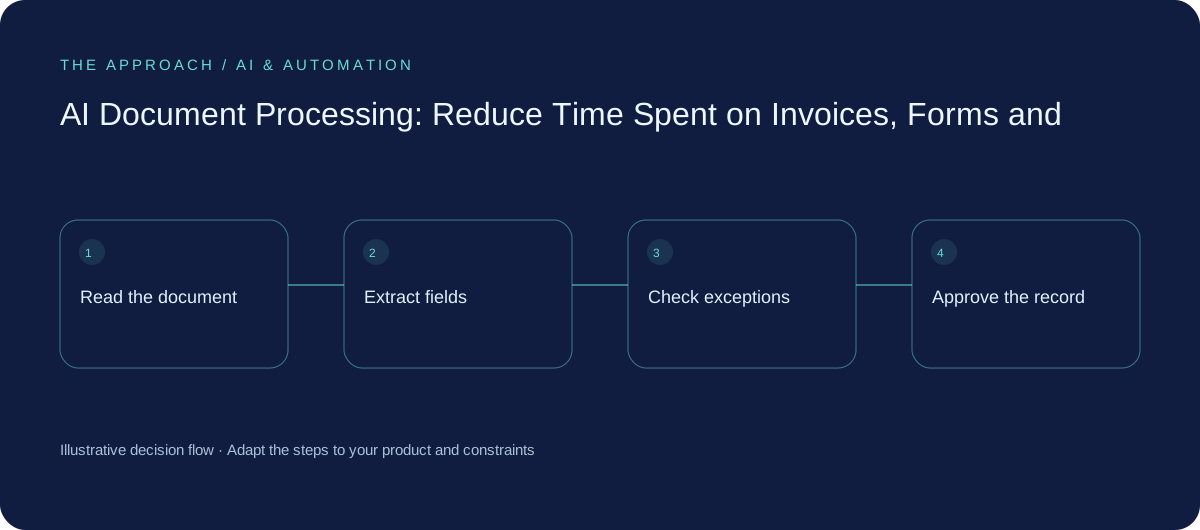
Reading extracts the text from a scan or digital file. Classification decides what kind of document it is. Extraction picks out fields such as a date, order number or total. Validation checks those fields against rules or other records. Routing sends the result to the right place.
Google Cloud's Document AI overview describes tools that convert document content into structured information, including text extraction and classification. Those capabilities are building blocks rather than a complete accounts process. Your business still needs to define the required fields, acceptable checks, access permissions and treatment of exceptions.
Begin with one document type and a clear destination
Choose a bounded job, such as preparing supplier invoice drafts for review. List the fields needed by the destination system and what each means. Be explicit about dates, currency, tax treatment and whether a figure includes or excludes tax. Have the relevant business specialist define those rules; a model should not invent them.
Use a representative sample with multiple suppliers, file types and layouts. Include blurred scans, credit notes, missing references and multi-page documents. In an illustrative trial, a clean sample from one supplier may look excellent while the mixed inbox reveals most of the work. Test the inbox you have, not the one shown in a demonstration.
Make checking faster than retyping
Show the extracted field next to the place it came from. Let the reviewer correct a value without reopening several windows. Highlight missing information and rule conflicts, and retain the original document according to your access and retention arrangements.
Review field accuracy by consequence. A slightly untidy supplier address and an incorrect bank account have different significance. Treat a changed payment destination as a separate business verification matter; extracting it correctly does not make it trustworthy. A model's confidence score can be a useful signal, but it is not proof of correctness or a substitute for your own tests.
Keep uncertain documents in a visible queue
A failed document must not disappear into a folder nobody owns. Record its status, why it needs attention and who should act. Prevent duplicate processing using a dependable document or transaction reference, and check before creating another destination record.
Route unsupported types to a person. If the accounting connection fails after a draft is created, verify the draft before retrying. If a document contains instructions to ignore rules or send data elsewhere, treat those words as document content rather than authority to change the system's behaviour. Document ingestion is also an access and security boundary.
| Example | Suggested handling |
|---|---|
| Missing purchase reference | Hold for a reviewer |
| Possible duplicate | Compare with existing records before creating anything |
| Changed bank details | Use the established independent verification process |
| Unreadable amount | Request a clearer document or correct manually |
| Connection failed | Check destination status before retrying |
Measure cost per correctly completed document
Compare total handling time before and after the pilot, including checking, correction, failed uploads and reconciliation. Track the percentage of documents needing intervention and which fields cause expensive mistakes. Compare different document types separately so a high volume of easy pages does not hide difficult cases.
Budget for processing, storage, review and maintenance when layouts or business rules change. Do not promise a universal accuracy figure from a small trial. Expand when the whole process is demonstrably better and exceptions have an owner. Often the first worthwhile result is a quicker draft and review process, rather than unattended approval.
Your next working session
- Choose one document type and define the destination fields.
- Test varied layouts and awkward examples.
- Show each extracted value alongside its source.
- Measure handling, review and correction together.
Go deeper
Sources and further reading
Supporting technical guidance, checked 25 October 2026. The worksheets, scenarios and calculations above are illustrative planning material, not client results.
Elite Apps editorial · Published 25 October 2026. General business planning guidance; not a supplier quote or professional advice. Product capabilities and terms can change. Check the details for your own workflow before investing.