Choose AI features that help customers finish a task. Compare search, document assistance and support with the integration, privacy, performance and maintenance work required.
Start with the task customers struggle to finish
A customer opens your app to find an old order, understand a document or complete a booking. They probably did not open it hoping to experience an AI feature. A useful addition shortens that task or makes the result clearer.
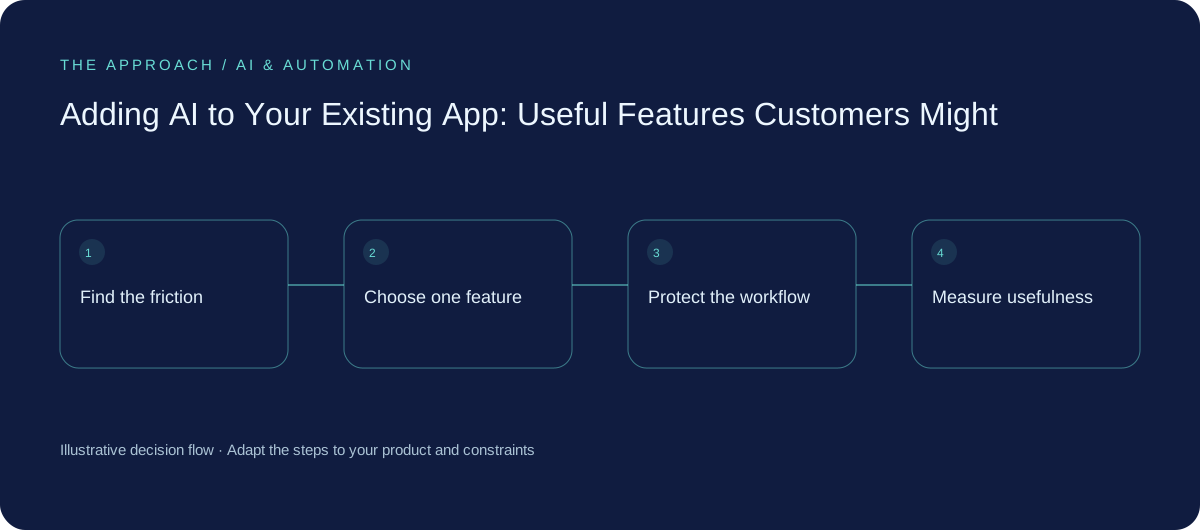
Review support questions, search failures and abandoned journeys before choosing a feature. Ask users what they were trying to do and observe where they stop. Sometimes clearer navigation or a better filter solves the problem. Add AI when language, varied information or an unfamiliar task makes ordinary interface controls insufficient—not simply because competing apps have added a chat button.
Search that understands the request
A customer may remember “the estimate for the upstairs work” rather than a document number. Language-aware search can help interpret that request and retrieve relevant items. Showing the underlying records lets the customer check that the result is the one they wanted.
Keep permissions enforced by the application. Search should not return another customer's document because it sounds relevant. When several records fit, let the user choose instead of inventing certainty. Evaluate whether customers reach the correct item faster than with improved conventional search. A longer natural-language answer is not useful if it obscures the actual result.
| Customer problem | Possible feature | Proof to seek |
|---|---|---|
| Cannot find a record | Language-aware search | Correct item found with less effort |
| Too much information to read | Source-linked summary | Faster understanding without missing key conditions |
| Repeating the same input | Reviewable draft or extraction | Less editing and fewer omissions |
| Needs help with a process | Grounded support assistance | Task completed or a useful human handover |
Help with documents and repetitive input
An app could summarise a long document, suggest a description or extract fields from an uploaded file. These features are useful when the user can see the source, correct the result and understand what is still a draft.
For an illustrative service portal, a customer might upload a description of work and receive a suggested enquiry summary. They review it before sending. The application should not silently turn that summary into a binding specification, price or contract. Identify which words came from the customer and where the software made a suggestion. Preserve the original when it is needed for later checking.
Support that knows the limits of its answer
An assistant can help customers find approved instructions or understand a process. Give it current information and a route to the relevant page or record. If it cannot answer, make escalation useful rather than sending the customer back to the start.
Do not label an answer as a completed action unless the underlying app confirms it. “Here is how to cancel” differs from “your booking has been cancelled”. Requests that change data need authentication, permission checks and confirmation suited to their consequences. The model should not become a shortcut around access controls already enforced elsewhere in your app.
Plan the work customers will never see
The feature needs a backend route that protects credentials, limits usage and enforces access. It needs tests for inappropriate information exposure and failure behaviour. It also needs loading, empty and error states, with a useful fallback for slow connections or an unavailable provider.
Budget for response time, model usage, monitoring and evaluation after updates. Decide what content is retained and how the user can understand the processing. Mobile apps need real-device checks for accessibility, network conditions and interaction with existing navigation. A small visible feature can create a substantial operating responsibility; scope the whole service rather than just the screen.
Release one feature and compare completed tasks
Invite a limited group to try the change, with a way to report an incorrect result. Measure task completion, time to a verified answer, edits, escalation and cost. Check whether people can still finish without the feature when it fails.
Treat model and knowledge changes as product changes that need evaluation. If customers consistently rewrite a suggestion or ignore a summary, investigate why. Expanding an unused feature rarely makes it useful. Keep the feature when it improves a specific journey; simplify or remove it when the original interface does the job better.
Your next working session
- Choose a user task supported by actual feedback.
- Compare AI with a simpler interface improvement.
- Enforce permissions and keep suggestions reviewable.
- Test response time, failure states and completed tasks.
Go deeper
Sources and further reading
Supporting technical guidance, checked 25 October 2026. The worksheets, scenarios and calculations above are illustrative planning material, not client results.
Elite Apps editorial · Published 25 October 2026. General business planning guidance; not a supplier quote or professional advice. Product capabilities and terms can change. Check the details for your own workflow before investing.