Review waiting, interaction and completion on realistic devices and networks.
Map the waiting moments
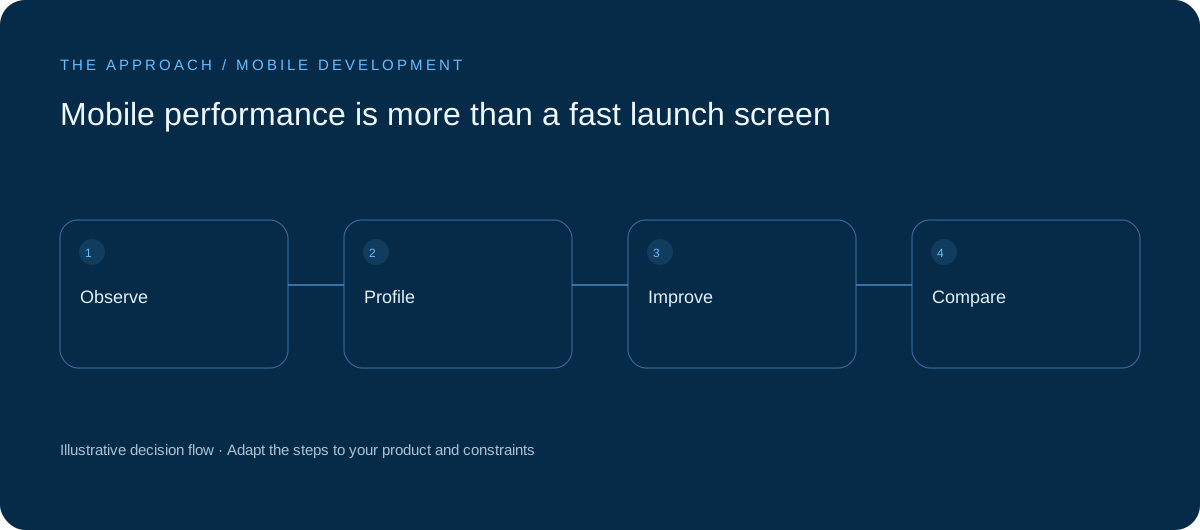
Startup is only one pause. Users also wait for search, images, saves and navigation. Distinguish a slow response from an interface that stops accepting input. A responsive screen with honest progress can be more dependable than one that freezes while doing equivalent work. Define the journey before choosing an optimisation.
Use representative conditions
Agree realistic supported hardware and test constrained memory and inconsistent connectivity. Populate the account with believable data volumes. Problems often appear when a list grows or several background jobs run together. The latest phone with an almost-empty account is a poor proxy for the audience’s daily experience.
Make feedback accurate
Prevent duplicate submission and support recovery after timeout. Do not show confirmed success before the server accepts an action that requires it. Load secondary content after the first useful information. Optimisation should preserve the meaning of interface states rather than merely make a demo appear instant.

Profile before rebuilding
Identify whether the bottleneck is rendering, media or network work. Record a baseline and repeat the same test after changes. A wholesale rewrite without evidence may preserve the original constraint while creating new defects. Prefer a measured improvement whose effect the team can explain.
Your next working session.
- Profile a core journey
- Use realistic accounts
- Compare repeatable tests
Bring one real, anonymised example to the discussion. Work through the choices above with the person responsible for the outcome, record the unresolved questions and agree who will investigate them.
Elite Apps editorial · Practical planning guidance. Examples and diagrams are illustrative; implementation depends on your requirements. Technical and supplier guidance can change.