
Before launching a customer-facing AI assistant, separate spending alerts from enforced limits. A practical guide to usage controls, safe fallback and a budget test for UK small businesses.
Decide what happens before the next paid request
If your website assistant becomes busy overnight, who notices the extra cost—and what stops another paid request? Those are two different questions. An emailed budget warning can answer the first while leaving the second unanswered. Before launch, agree a spending boundary, how the software enforces it, and what visitors see when that boundary is reached.
For a small business, the useful objective is a service that stays understandable under pressure. You want customers to retain a way to contact you, the team to know why AI replies have paused, and an authorised person to decide whether more spending is justified. A budget number in a proposal does not establish any of those behaviours. Ask the supplier to demonstrate them.
An alert is information; a limit changes behaviour
Microsoft's Azure Cost Management documentation explicitly says that budget notifications do not stop resource consumption. It also describes a delay between usage, cost data and budget evaluation. A warning based on that reporting should not be treated as an immediate barrier at the moment a request is made.
Other products offer different controls. Anthropic documents monthly API spend limits and distinguishes those from rate limits. AWS documents optional budget actions that require configuration and permissions. These are examples of different mechanisms, not interchangeable promises. Check the exact account, service and purchasing route you use. A setting in one console may not control another supplier, another account or the hosting and integration charges around it.
Microsoft: budgets notify but do not stop consumption
Anthropic: API spending and rate limits
| Control | What to establish |
|---|---|
| Budget alert | Who receives it, reporting delay and what action follows |
| Rate limit | How quickly work can run; this is not a monthly cost ceiling |
| Enforced spending boundary | Which charges it covers, when work pauses and how service resumes |
Write a small spending contract for the project
Before discussing technical settings, write a one-page operating agreement. Identify the business owner, the covered services, the measurement period, the warning levels, the pause condition and who can approve a change. State whether the amount covers model usage alone or the whole service. Include hosting, search, document processing, monitoring and support where they apply.
For a UK business planning in pounds, record the supplier's actual billing currency separately. Exchange rates, VAT treatment and other charges can affect the amount that reaches the accounts. Do not present a conversion as a permanent price. Leave a clearly identified allowance for uncertainty instead of assuming that a usage meter and a sterling invoice will match exactly.
Keep test and production usage distinguishable. If employees are experimenting with the same account that serves customers, their tests can consume the capacity reserved for incoming enquiries. Ask how that separation is implemented and which reports show it.
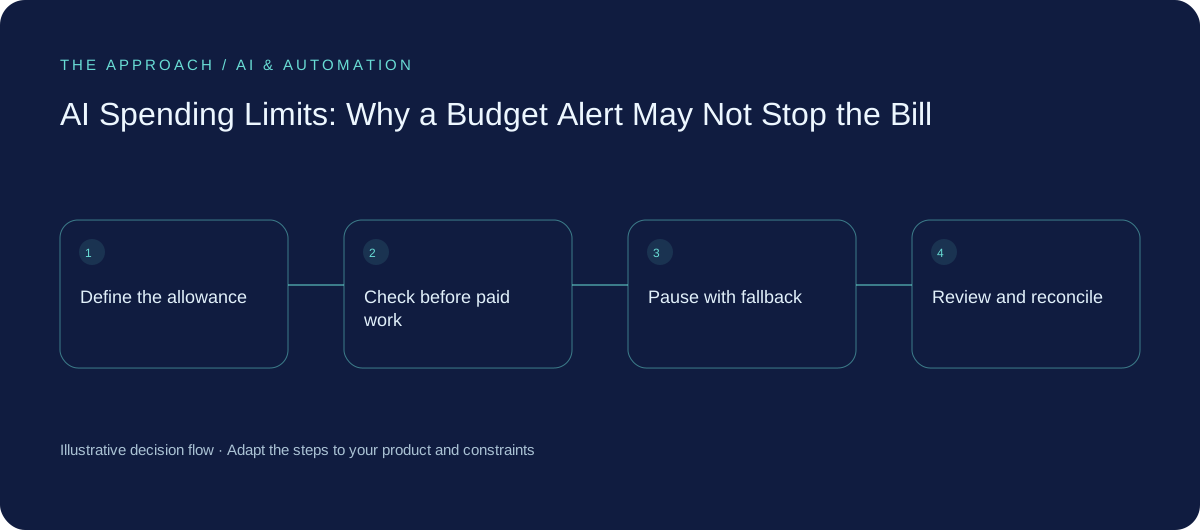
Use several controls with different jobs
A sensible design combines warnings, supplier controls where available, and limits in your own application. Warnings bring a person into the decision. A provider-enforced spending limit can constrain the covered API usage. An application allowance can decide whether a particular task should start before it contacts the paid service. None should silently stand in for the others.
Also bound the size of the work. Limit accepted document size, conversation length, repeated attempts and the number of tool actions a task can take. A request that looks small to a visitor can trigger several paid operations behind the scenes. Rate limits control the pace of requests; they do not by themselves define an affordable monthly bill.
Ask your developer how simultaneous requests are counted. If several jobs all see the same remaining allowance and start together, a simple counter may permit more work than intended. The implementation needs a consistent way to reserve capacity, reconcile actual usage and handle work already in progress. This is a design question to test, not a guarantee that all third-party billing will be instantaneous.
AWS: configuring optional budget actions and their permissions
An illustrative website-enquiry budget
Imagine a small service business allocating £150 a month to the usage component of a trial assistant. These are invented planning figures, not a quote or a suggested supplier plan. The owner might request a warning at £75, a review at £110, and a pause on starting new AI work at an internal allowance of £130, leaving £20 for uncertainty and work already in flight.
That policy is useful only if the team defines what the internal estimate includes and how it is reconciled with the actual bill. The £20 margin is not proven sufficient. Test the assumptions with representative requests and unusually large cases, then revise them using observed usage. An estimate that omits search calls or document extraction may look reassuring while missing a substantial cost.
The decision at £110 should be specific: continue within the original boundary, reduce the task, or approve a revised allowance. Record the approver and the new period. Avoid an automatic top-up that quietly turns a trial budget into an open-ended commitment.
| Point | Example operating decision |
|---|---|
| £75 | Notify the named owner |
| £110 | Review usage and remaining work |
| £130 internal allowance | Stop starting new AI work; keep the contact fallback available |
| £20 difference | Unproven planning margin for uncertainty and in-flight work |
Plan the pause as part of customer service
When AI capacity is unavailable, the website should still offer a useful next step. For an enquiry assistant, show a clear message that the assistant is temporarily unavailable and provide the ordinary contact form or published contact details. Keep that fallback independent of the paid AI call. Do not tell visitors their enquiry was delivered unless the normal form actually accepted it.
Decide which work can wait. Internal document summaries might enter a queue with a visible status. A visitor asking for help should receive a prompt alternative rather than an endless spinner. If pending work is retried later, prevent duplicate messages and make its status visible to the team.
Provider limits can affect multiple tools sharing an account. Confirm whether pausing the website assistant would also interrupt an internal process. Choose boundaries that preserve essential services, and do not disable billing controls automatically just because a request failed.
Test the boundary, not just the happy path
Before release, ask for a controlled demonstration using a deliberately low test allowance. Show that a warning reaches the named owner, new AI work stops at the agreed application condition, and the visitor can still use the fallback. Check behaviour when the provider refuses a request, reporting is delayed, several jobs arrive together or the usage counter is unavailable.
A provider refusal should lead to a bounded response. Repeatedly retrying a request that cannot succeed can create noise and delay recovery. The supplier documentation matters here: a temporary rate restriction and an exhausted spending allowance may need different handling. The application should recognise the relevant failure and preserve a clear operational record without exposing credentials or customer content.
Finally, test restart and reset. Who can restore service? Does a new billing period reopen the application allowance? Are queued tasks still appropriate to run? Record the answers and the observed results. A screenshot of a configured budget is evidence of a setting, not evidence that the end-to-end behaviour works.
Anthropic: handling spending limits separately from rate limits
Review cost alongside useful enquiries
After launch, compare spending with completed, useful work. Count enquiries correctly handed to the team, the effort needed to review them and the cases that fell back to the normal form. A lower bill is not an improvement if the assistant prevents suitable customers from contacting you. Equally, a busy conversation counter does not establish that the service is earning its cost.
Review the boundary when traffic, model choice, connected services or the workflow changes. Keep the operating agreement short enough that someone will actually use it. If you are discussing an assistant with a developer, bring one typical enquiry, one difficult example and the maximum exposure you are prepared to authorise. Those three inputs support a much more useful conversation than asking whether the platform has a budget button.
Your next working session
- List every billable service and its billing currency.
- Separate notifications, rate limits and enforced spending controls.
- Name the owner, pause rule and approval process for increasing the allowance.
- Demonstrate simultaneous requests, exhausted allowance and a working contact fallback.
- Review real cost per useful outcome after launch.
Discuss an AI assistant with clear cost and fallback boundaries
Go deeper
Sources and further reading
Primary documentation checked 2 November 2026. This is an evergreen implementation guide, not a product announcement. The budget, workflow and test plan are illustrative Elite Apps planning examples, not supplier prices, measured client results or a guarantee against overspending.
Elite Apps editorial · Published 2 November 2026. General business planning guidance; not a supplier quote or professional advice. Product capabilities and terms can change. Check the details for your own workflow before investing.