Help reviewers compare evidence, correct mistakes and approve a specific result.
Show the evidence
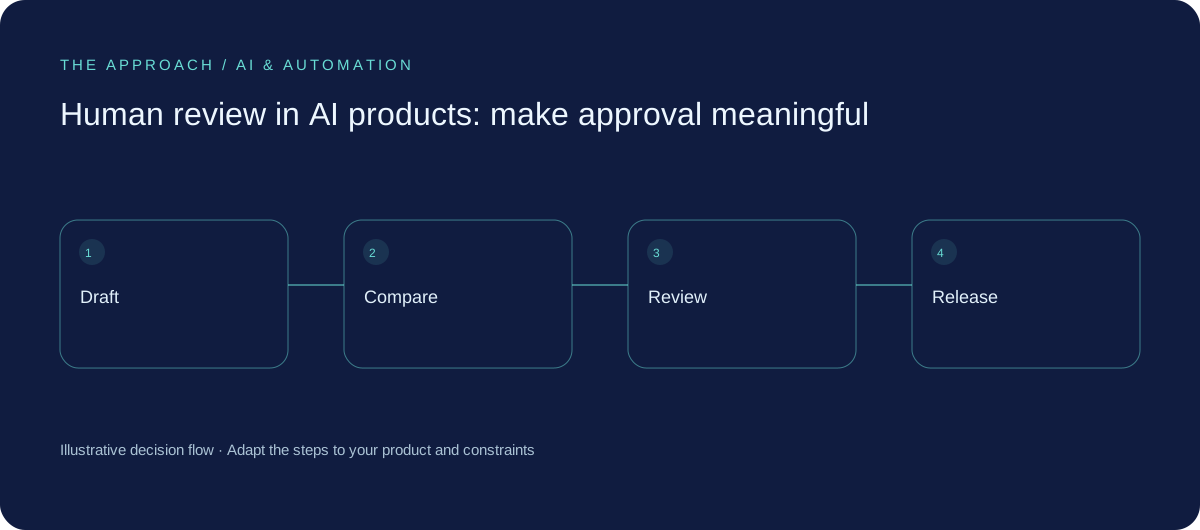
A reviewer needs something to compare with the proposed output. For an extracted invoice total, show the source page beside the value. For a draft reply, show the original request and relevant policy. Place review before the external action, while a mistake can still be corrected without affecting a customer.
Match review to consequence
An internal label and a payment instruction need different controls. Classify actions by impact and reversibility, then decide which need approval. Do not present a model’s self-reported confidence as a dependable probability. A clear uncertainty message and visible source can be more useful than an impressive-looking percentage.
Allow disagreement
Provide edit, reject and escalate routes. Capture useful correction reasons without turning every review into a lengthy form. Repeated approval without inspection may indicate that staff cannot keep up or that the screen hides evidence. A human checkpoint offers little protection when the interface makes careful review impractical.

Record the approved version
Keep an appropriate history of the proposal, source version and decision. Test what happens if a draft changes after approval or an approval expires. The application should know which exact content received approval, and whether that content still matches the action about to run.
Your next working session.
- Display source context
- Make rejection easy
- Approve a specific version
Bring one real, anonymised example to the discussion. Work through the choices above with the person responsible for the outcome, record the unresolved questions and agree who will investigate them.
Elite Apps editorial · Practical planning guidance. Examples and diagrams are illustrative; implementation depends on your requirements. Technical and supplier guidance can change.