Choose development tools, architecture components and libraries for a clear job, with testing and upgrades included from the start.
Start with a reproducible workspace
A developer should be able to obtain the repository, follow documented setup instructions and build the same application as the rest of the team. Record the supported toolchain and environment configuration without including secrets. Android Studio is a workspace for building, debugging and profiling Android applications; the important operational outcome is that the build can also be checked consistently outside one developer’s laptop.
Choose architecture components around responsibilities
Separate screen behaviour from data access so a change in one area does not require rewriting everything else. Android architecture guidance discusses UI and data layers, lifecycle handling and state management. Components such as ViewModel or a persistence library should have an explicit responsibility. More abstractions are not automatically better: use boundaries that make the application easier to understand, test and change.
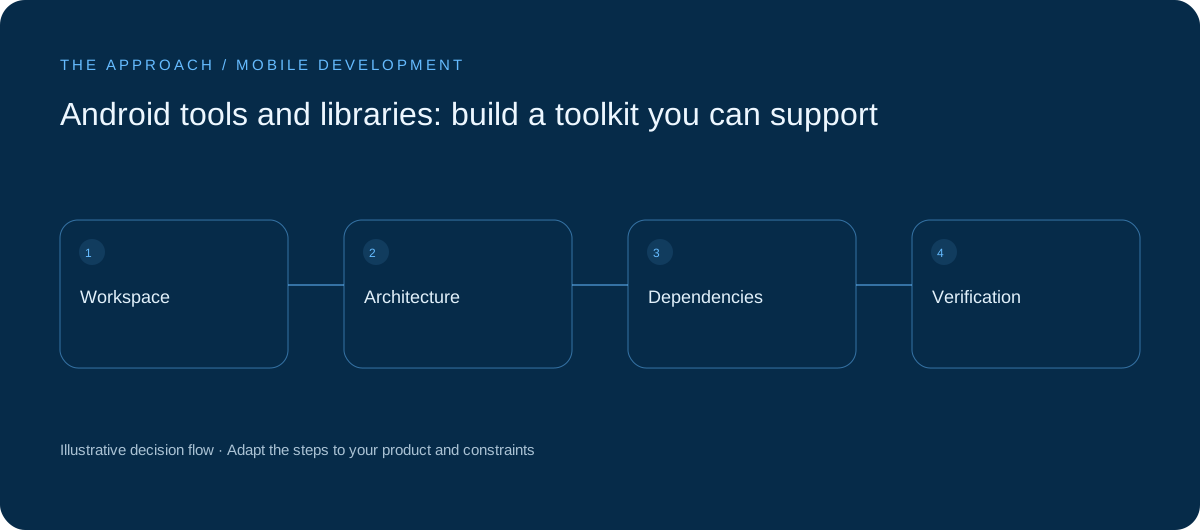
Review a library before adopting it
Check the supported platform versions, licence, release activity, documentation and known issues. Identify what information a third-party SDK can access or transmit. A convenience feature can introduce ongoing privacy, security and upgrade work. Record the reason for each significant dependency and an alternative if it becomes unsuitable. Avoid choosing a library only because an old article describes it as the best.

Use testing and profiling to answer questions
Test core business rules separately from screen interactions, then exercise important journeys on representative devices. Profile a specific problem, such as a slow list or excessive memory use, instead of optimising by guesswork. Include interrupted connections, permission changes and returning to the app after it has been backgrounded. Automated checks and device testing provide different kinds of evidence; neither replaces the other.
Budget for upgrades and handover
Keep dependency review and platform updates in the maintenance plan. Describe how a release is built, signed, checked and rolled back where possible. The business should know which accounts it owns, who receives operational alerts and how another developer can take over. A useful toolkit reduces the number of tasks that depend on one person remembering a hidden step.
Your next working session.
- Document a clean build
- Review SDK data access and licences
- Test a full customer journey on real devices
Bring one real, anonymised example to the discussion. Work through the choices above with the person responsible for the outcome, record the unresolved questions and agree who will investigate them.
Further reading
Primary references for the technical concepts discussed in this guide:
Elite Apps editorial · Practical planning guidance. Examples and diagrams are illustrative; implementation depends on your requirements. Technical and supplier guidance can change.