Arrange accounts, review materials and rollout responsibilities before submission week.
Establish account ownership
Decide which entity owns developer accounts and who can release builds. Keep recovery access under business control. Late account setup can uncover unexpected identity or organisation requirements. Store rules change, so consult current platform guidance during planning rather than rely on a supplier’s old submission checklist.
Prepare review materials
Descriptions, screenshots, support details and required declarations should reflect actual behaviour. Restricted features may need a demo account and reviewer instructions. Keep the backend available during review and exclude real customer data. A technically ready binary is not a complete submission if the reviewer cannot understand or access its core experience.
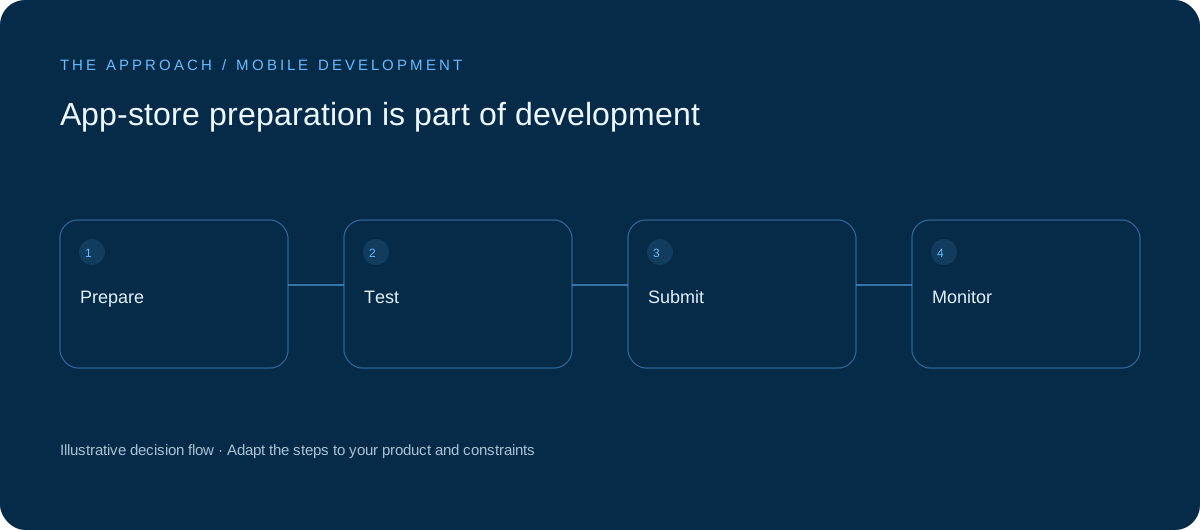
Test a release build
Check installation, updates, sign-in, permissions and recovery in the release configuration. Test migration from an older version where relevant. Confirm production endpoints and unavailable-service behaviour. Development builds can hide configuration errors or dependencies that only become visible when the product is packaged for distribution.

Plan review and rollout
Submission does not guarantee an approval date. Allow time for feedback and name the person responsible for responding. Agree monitoring and staged rollout where supported. Maintain backend compatibility with older app versions when needed, because installed users do not all update immediately after a release.
Your next working session.
- Own the developer accounts
- Prepare reviewer access
- Plan older-version compatibility
Bring one real, anonymised example to the discussion. Work through the choices above with the person responsible for the outcome, record the unresolved questions and agree who will investigate them.
Elite Apps editorial · Practical planning guidance. Examples and diagrams are illustrative; implementation depends on your requirements. Technical and supplier guidance can change.