Turn backup settings into a practical, tested recovery arrangement.
Decide what needs recovery
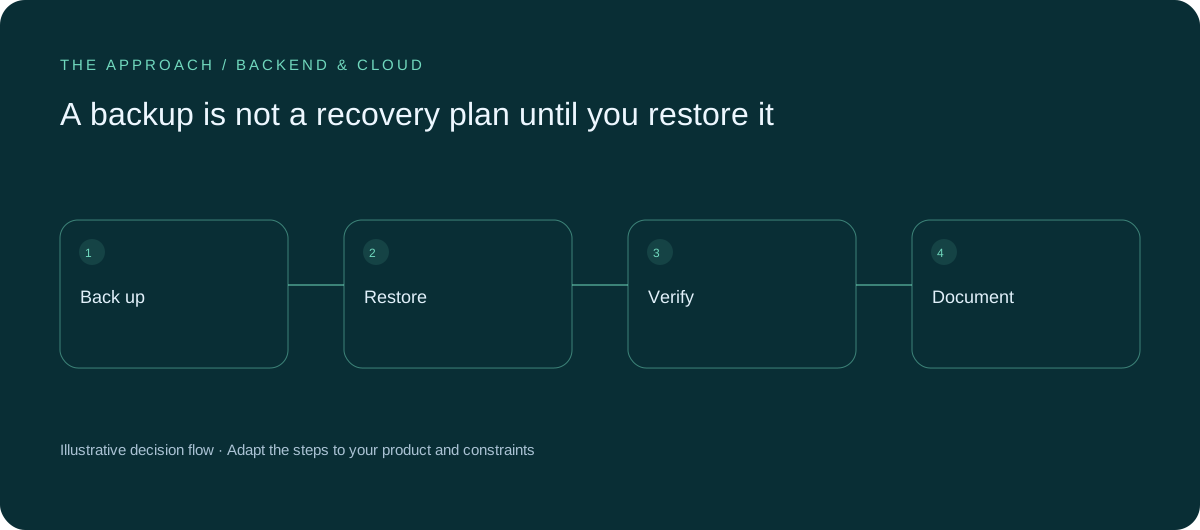
List databases, uploaded files, configuration and essential service dependencies. A database backup may be insufficient if attachments or encryption keys are unavailable. Agree how much recent work the business could lose and how long it could operate without the service. These requirements shape the recovery approach and cost.
Protect the backup
Restrict access, review retention and consider whether the same account failure could affect both production and its backups. Record who receives failure alerts. A successful schedule configured months ago does not prove every later backup completed. Monitoring should distinguish a missing backup from one that exists but cannot be restored.
Perform a safe restore
Restore into an isolated environment and check important relationships, files and user journeys. Record the steps and elapsed time. Avoid sending test notifications to real customers during the exercise. A practical rehearsal exposes missing configuration and dependencies that a storage dashboard cannot reveal.

Keep the runbook usable
Write the procedure for someone other than its original author. Name the decision owner and escalation route. Repeat the exercise after material architecture changes. Recovery planning should explain when to stop a failing system, how to verify restored data and who communicates with affected users.
Your next working session.
- Inventory recoverable assets
- Test an isolated restore
- Record recovery responsibilities
Bring one real, anonymised example to the discussion. Work through the choices above with the person responsible for the outcome, record the unresolved questions and agree who will investigate them.
Elite Apps editorial · Practical planning guidance. Examples and diagrams are illustrative; implementation depends on your requirements. Technical and supplier guidance can change.