Match publishing tools to the people, permissions and content your site needs.
Observe the editing work
Who changes service copy, uploads images and approves an article? List recurring tasks and the people responsible. A powerful system can be a poor choice if a simple update requires developer intervention. Conversely, unrestricted page building may create inconsistent layouts that are expensive to repair later. Choose around the editorial workflow.
Separate content from presentation
Structured fields help keep headings, metadata and image descriptions consistent. Reusable page sections can provide flexibility without allowing every editor to redesign the site. Define which fields are essential and how long text behaves. Preview realistic content, including a long title and an image with a different aspect ratio.
Plan permissions and review
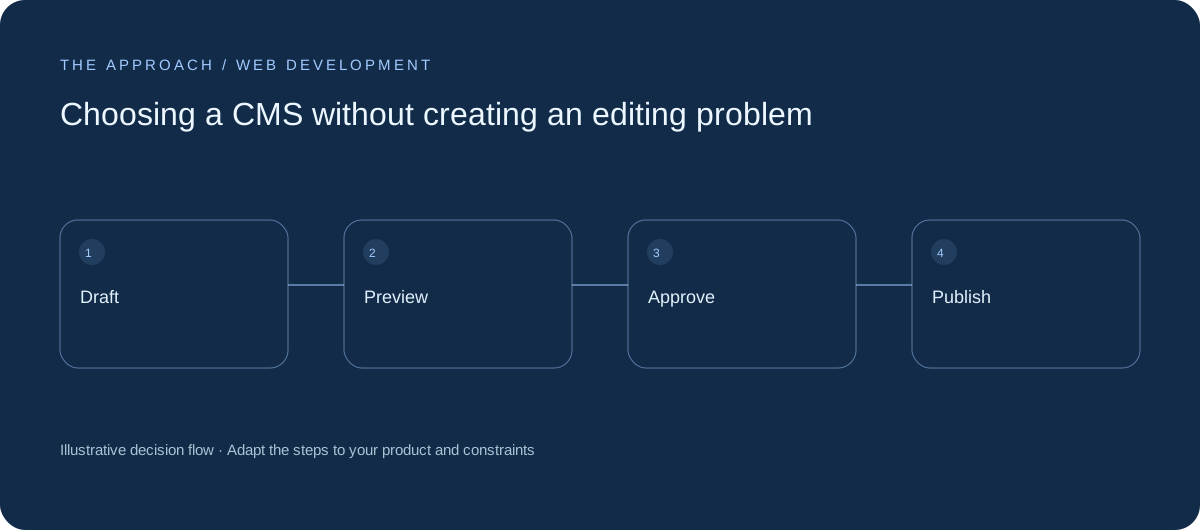
Distinguish drafting, approval and publication. Keep a revision history and a practical rollback path. Decide how scheduled content, redirects and removed pages are handled. Administrative access needs deliberate ownership. The ability to publish quickly should not mean every editor can change site configuration or view private enquiry data.

Estimate operation as well as setup
Review hosting, backups, upgrades and the skills needed to maintain the system. Test an export and a restore if those matter to the operating model. Choose an approach your team can sustain after launch, and document the common tasks before the original implementer leaves the project.
Your next working session.
- List editing tasks
- Define publication roles
- Test rollback and export
Bring one real, anonymised example to the discussion. Work through the choices above with the person responsible for the outcome, record the unresolved questions and agree who will investigate them.
Elite Apps editorial · Practical planning guidance. Examples and diagrams are illustrative; implementation depends on your requirements. Technical and supplier guidance can change.