
Understand what connecting AI to existing business tools involves: supported access, record matching, approvals, duplicate prevention and recovery when something fails.
Keep the tools that already work
A business does not need to replace its CRM, calendar and accounting software simply to introduce AI. Often the useful improvement is a small step between them: interpreting a request, preparing a record or finding the information needed for a reply.
The difficult part is rarely whether a model can produce a plausible answer. It is whether the right information can be read and updated reliably under the permissions your business has. Before a supplier promises an end-to-end assistant, ask them to demonstrate access to the actual products and subscription plans you use. A similar-looking demonstration is not evidence that your setup is supported.
Check how the connection is supported
An API is a documented way for software systems to exchange information. A connector packages part of that work. A webhook tells another system that an event has happened. You do not need to become a developer, but these distinctions help you ask useful buying questions.
Can the connection read records, change them or both? Is the required capability included in your plan? Who authorises the account? Are there limits on request volume? If a supplier proposes automating clicks in an interface instead, ask how it handles layout changes and failed sessions. Interface automation can be appropriate, but its operational assumptions should be explicit.
Agree which system owns each fact
Your CRM may own the customer contact, the booking platform the appointment and the accounting system the invoice. Establish that ownership before copying fields. Otherwise a change in one place can overwrite a newer correction somewhere else.
Names are not dependable identifiers on their own. Two customers can share a name; one customer can have several email addresses. Decide how records will be matched, when a person resolves ambiguity and which identifier follows a request across systems. AI can suggest a match, but consequential merges need a controlled process. A confident guess is not a safe way to join financial or customer records.
| Information | Example owner | Question to settle |
|---|---|---|
| Customer details | CRM | Which identifier matches the same person? |
| Appointment | Booking system | What confirms a reservation? |
| Invoice | Accounting system | Who can approve and issue it? |
| AI summary | Enquiry record | Where can staff check the original? |
Separate suggestions from write access
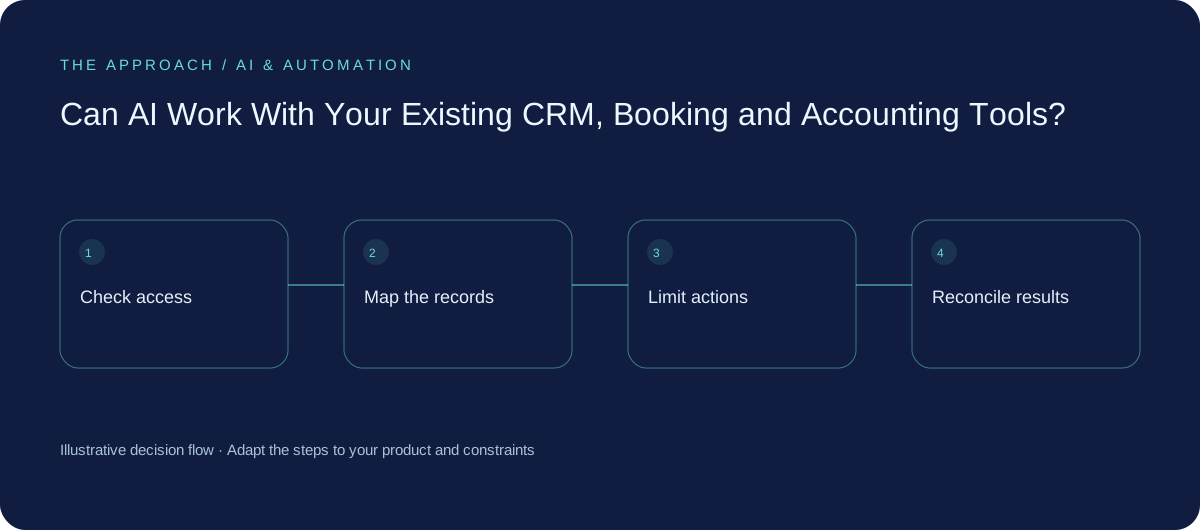
Start with the least access that makes the pilot useful. Reading an approved availability window is different from changing the staff rota. Preparing an invoice draft is different from sending it or initiating payment. Give each operation a clear rule and owner.
For an illustrative Australian bookings workflow, AI might turn a free-text enquiry into a proposed service type. Ordinary software can validate that type, check availability and prepare a booking. A human handles an unusual request. This division uses AI for interpretation while leaving dependable rules in charge of business records and permissions.
Plan for repeated events and broken connections
A request can time out after a destination has already saved the record. Retrying blindly could create a second booking or invoice. Use a persistent operation identifier and check what completed before taking the next action. Stripe documents duplicate webhook delivery and handling; the broader lesson is that a repeated notification should not become a repeated customer transaction.
Also plan for a connector losing access, a vendor rate limit and an employee leaving the company. Keep an exception queue with a named owner. Reconcile important records across systems instead of assuming that a successful response somewhere proves the entire process finished. Show uncertain states honestly to staff and customers.
Commission one complete route first
Pick a small journey such as “approved enquiry becomes a draft CRM opportunity”. Define the field mapping, validation, failure messages and correction process. Test representative records, missing fields and repeated submissions in a safe environment.
Handover should include account ownership, connector settings, operating instructions and the steps for pausing or revoking access. Measure completed work and the effort spent dealing with exceptions. Expand once the connection is dependable. Adding a fourth system to an unreliable three-system process usually gives you more places to investigate, not more business value.
Your next working session
- List your exact products, plans and account owners.
- Name the authoritative system for each important field.
- Limit write actions and set approval rules.
- Test repeated events, lost access and partial completion.
Go deeper
Sources and further reading
Supporting technical guidance, checked 25 October 2026. The worksheets, scenarios and calculations above are illustrative planning material, not client results.
Elite Apps editorial · Published 25 October 2026. General business planning guidance; not a supplier quote or professional advice. Product capabilities and terms can change. Check the details for your own workflow before investing.