
Compare ready-made AI tools, configured integrations and custom software using your workflow, data access, total cost and exit needs—not a feature-count contest.
Try the ordinary option before commissioning the unusual one
A customer-service team wants help drafting replies. Buying a suitable tool may solve the problem. A delivery business wants an assistant that checks vehicle restrictions, reads its own job records and follows negotiated customer rules. That is a different decision.
Custom development is worthwhile when something important about your process cannot be met sensibly with existing software. It should not be the default just because the idea includes AI. Equally, a low subscription price is not a saving if staff must spend each afternoon repairing the workaround. Compare complete ways of doing the job, including the manual steps left behind.
There are three routes, not two
Ready-made software gives you a product designed for many organisations. Configuration adapts its settings, knowledge sources and approved workflows. A connected solution combines existing products using their supported interfaces. Custom software adds behaviour or an experience that those products do not provide.
Most practical projects sit somewhere between a subscription and a ground-up build. For example, you might keep your current booking platform, add a small customer interface and use a model only to interpret free-text requests. Buying a custom layer does not mean you need to own a model, rebuild your CRM or replace the rest of the business.
| Route | Often useful when | Check carefully |
|---|---|---|
| Ready-made tool | The job is common and the limits fit | Licence scope, export, permissions |
| Configured or connected tools | Existing products cover most of the process | Connector access and exception handling |
| Custom software | A valuable requirement remains unmet | Ownership, maintenance and realistic operating cost |
Write down the requirements that decide the purchase
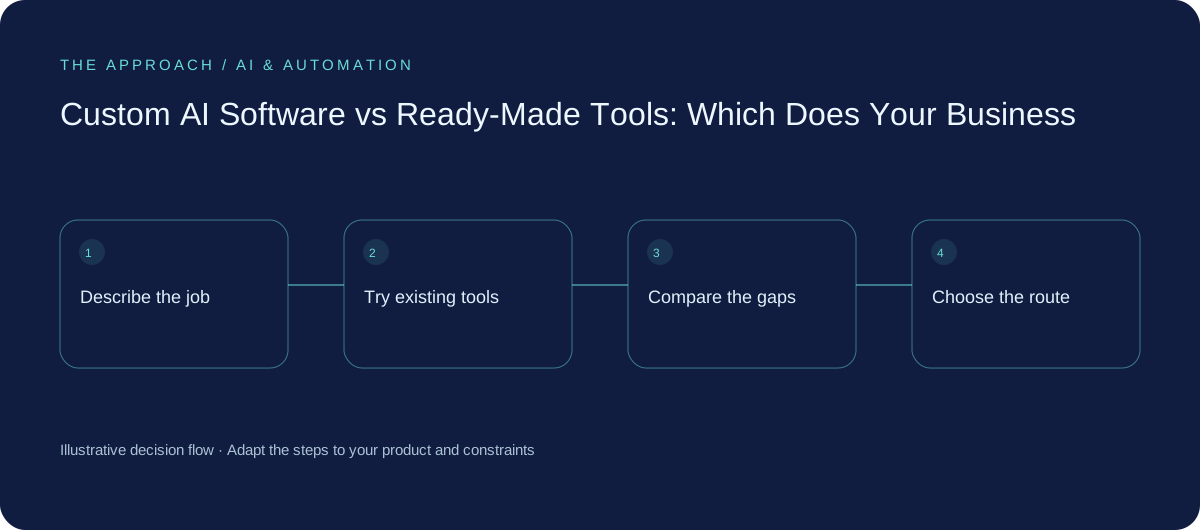
Start with five real tasks and the rules that make them difficult. Who can view which records? What must a person approve? How quickly must the answer arrive? Which languages, devices and time zones matter? What should happen when the request is incomplete?
Turn those into demonstrations rather than a long wish list. Ask each supplier to complete the same examples using the proposed plan and integrations. A feature listed as available may require a higher licence, a separate connector or development work. Record that difference. Also distinguish a capability that exists today from something merely suggested for a future roadmap.
Compare ownership and operating responsibility
A ready-made product leaves more of the platform operation with its vendor, but you still own the way it is configured and used. Custom work gives you choices about behaviour and hosting, while creating responsibilities for maintenance, security updates and support.
Neither route automatically makes information private or portable. Review provider terms, retention, access controls and export options for the actual service configuration. Ask who controls administrative accounts, how your team retrieves data and what survives if the development relationship ends. A repository handover is useful, but it is not enough if nobody can run the software or access its dependencies.
Use a small comparison exercise
Imagine an Australian appointment business with two branches. Its standard platform can send reminders and show availability. The awkward part is matching requests to the right branch and appointment type. In this illustrative scenario, the sensible comparison is not “buy an AI platform or build one”. It is “can existing rules handle this, can a supported connector help, or is a small custom step necessary?”
Test the same set of ambiguous requests in each option. Include cancellations, a customer who chooses the wrong branch and an unavailable calendar. Compare successful completion, correction time and ongoing costs. If the existing product handles the important cases well, choose it and spend the remaining budget elsewhere.
Know what would change your decision
Buying ready-made software usually makes sense when the task is common, the product meets the important requirements and your team can operate within its limits. A configured or custom solution deserves investigation when a valuable workflow remains blocked by those limits, when integration needs are unusual or when the customer experience is part of your differentiation.
Write down why you chose the route and when you would reconsider. Perhaps usage must reach a certain level, a vendor must support an essential permission or a manual step must fall below an agreed threshold. That record keeps the discussion tied to business evidence instead of whichever demonstration looked most impressive.
Your next working session
- Use the same real tasks to evaluate every option.
- Check licence tiers and connector availability before comparing prices.
- Name who maintains the solution and owns the accounts.
- Test data export and document an exit route.
Go deeper
Sources and further reading
Supporting technical guidance, checked 25 October 2026. The worksheets, scenarios and calculations above are illustrative planning material, not client results.
Elite Apps editorial · Published 25 October 2026. General business planning guidance; not a supplier quote or professional advice. Product capabilities and terms can change. Check the details for your own workflow before investing.