Plan mapping, trial runs and rollback so moving records does not lose their business meaning.
Understand the source
A spreadsheet column may contain several meanings accumulated over years. Inspect representative records and exceptions. Identify missing values, duplicates and historical conventions. Ask the people who maintain the data why unusual entries exist. Cleaning without understanding can erase information that a team still needs.
Write transformation rules
Map each source field to its destination and define validation. Decide how rejected records are recorded and corrected. Preserve identifiers needed to reconcile old and new systems. Avoid silent defaults that turn an unknown value into an apparently reliable fact. Agree the handling of historical records separately from active operational data.
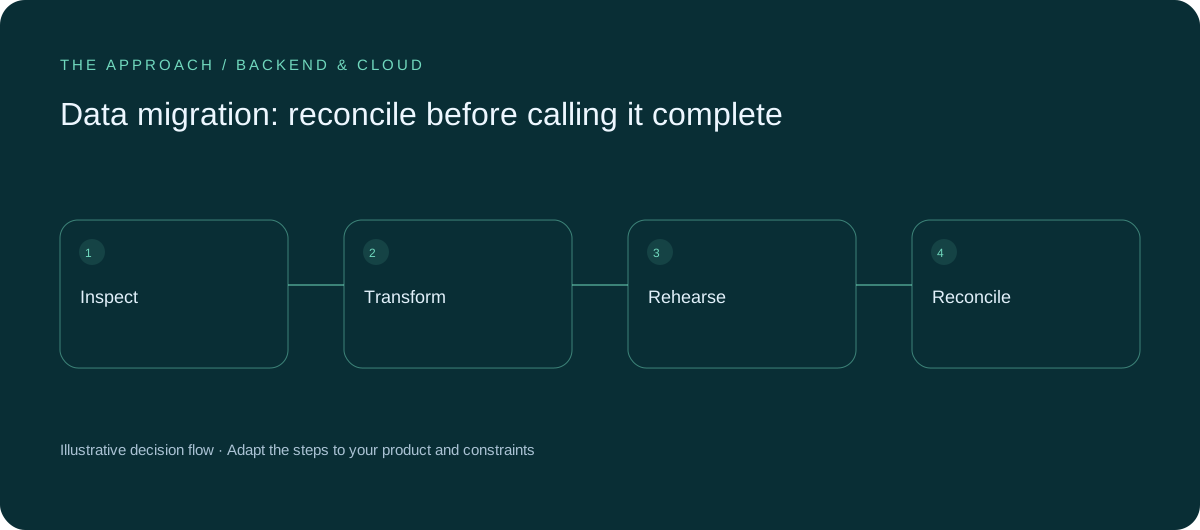
Run a realistic rehearsal
Use an appropriately protected copy or representative test set. Measure duration and inspect results with business owners. Count records, compare important totals and review sampled relationships. A script finishing without an exception does not prove the destination is correct. Repeat the rehearsal when the mapping changes materially.

Plan the cutover window
Decide when source changes stop or how later changes are captured. Establish rollback criteria and who makes the decision. Keep the old system available as agreed for reconciliation and reference. Completion means the business can use and trust the migrated information, not merely that a transfer job returned success.
Your next working session.
- Document field mappings
- Reconcile counts and relationships
- Agree rollback authority
Bring one real, anonymised example to the discussion. Work through the choices above with the person responsible for the outcome, record the unresolved questions and agree who will investigate them.
Elite Apps editorial · Practical planning guidance. Examples and diagrams are illustrative; implementation depends on your requirements. Technical and supplier guidance can change.