Design tenant separation before a shared platform accumulates customer data.
Define the tenant
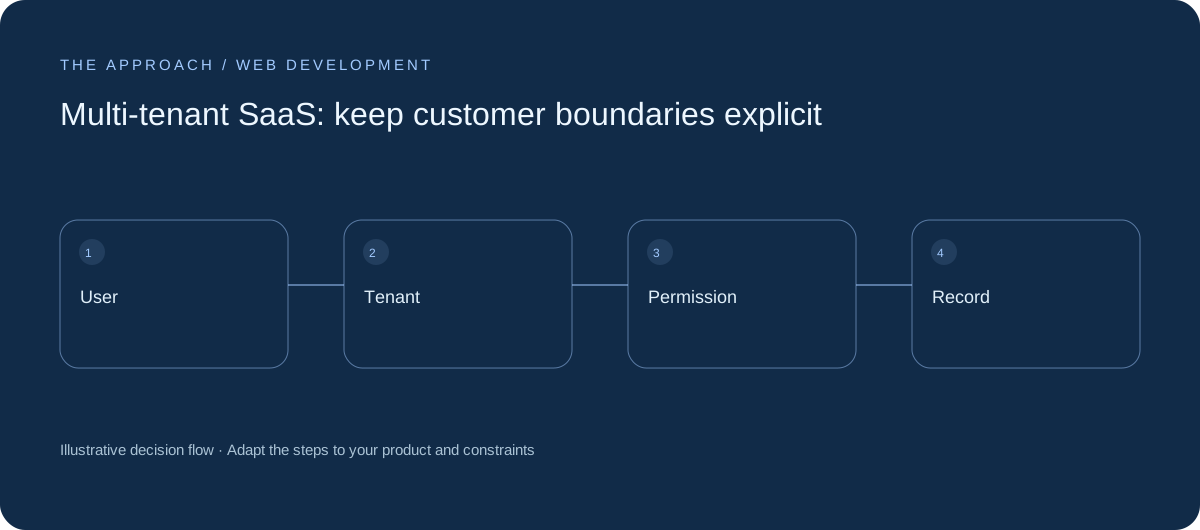
A tenant may be a company, workspace or separate business unit. Decide how users join it and whether they can belong to several. A shared login does not establish the data boundary. Write down which records belong to each tenant and which information is intentionally shared across the platform.
Enforce access on the server
A hidden menu item is not authorisation. Every data operation must validate the user’s right to the tenant and record. Test direct requests for another customer’s identifiers. Avoid relying on a browser-supplied tenant value without checking membership. Background jobs and exports need the same boundary checks as interactive screens.
Handle administrator powers carefully
Support staff may need limited troubleshooting access. Define scope, approval and audit arrangements instead of creating a universal account with no history. Separate platform administration from customer administration. Make it difficult to perform an action in the wrong tenant, particularly when a staff member switches between several workspaces.

Test isolation continuously
Include permission tests in the release process, not only the initial review. Cover search, attachments, reports and notifications as well as main records. Tenant isolation can fail through an overlooked secondary path. Record ownership and migration assumptions so future features preserve the intended boundary.
Your next working session.
- Define tenancy
- Check server-side permissions
- Test secondary data paths
Bring one real, anonymised example to the discussion. Work through the choices above with the person responsible for the outcome, record the unresolved questions and agree who will investigate them.
Elite Apps editorial · Practical planning guidance. Examples and diagrams are illustrative; implementation depends on your requirements. Technical and supplier guidance can change.